Intermittent application icon disappearing
Incident Properties
Question
We are noticing an issue where our main application icon sometimes does not appear on the MFP home screen. It is intermittent, and started occurring when we added a second activity into the application. I'll give a little context, then I'll outline our approach, and will also send some logs and analysis of those logs.
We are hoping you can provide advice on our approach.
Context: Our application can be installed in two modes: one is with a Print icon, which launches the Print activity. The other mode is with Print and Capture icons, which launch their own Print and Capture activities respectively. When we install the application with just the Print activity, it works fine. When we install Print and Capture, sometimes the Print icon does not appear. The Capture icon always has apeared fine. Most of the time it works fine, but not all of the time.
The addition of the Capture activity is a new change. Previous the app only had the Print activity.
A little architecture: The android manifest file has one <application> node, and two <actiovity> nodes underneath it. The application node does have a icon attrtibute:
android:icon="@mipmap/ic_launcher"
The installation process does invoke /homescreenicon, and that works just fine for "Print only". In our earliest attempts to add the Capture activity, we tried adding another icon attribute to the second <activity> node, but that didn't work. The processing of "homescreenicon" only seemed to pick up the first icon attribute, whether it was in the application node or one of the activity nodes. It didn't pick up any other icon nodes. For example, when each activity node had an icon attribute, and the capture activity was placed first in the manifest, only the capture icon was installed.
So we kept the original approach of keeping the iconattribute in the application node and worked on alternate ways to install the second icon.
Our approach:
We added a InstallShortcutReceiver class that extended BroadcastReceiver to receive and process "com.android.launcher.action.INSTALL_APPLICATION_ICON" intents. When the package name matched our application, and a particular flag in the preference store was set (by us), we knew this was in response to the Print icon being installed through processing of the /homescreenicon call.
At that point we create a com.android.launcher.action.INSTALL_SHORTCUT intent with the appropriate name, activity.class, and icon resource identifier and broadcast it before InstallShortcutReceiver::onReceive is over.
Attachments:
Inside "Icons ticket.zip":
AndroidManifest.xml - our manifest file
InstallShortcutReceiver.java: Broadcast receiver that handles "com.android.launcher.action.INSTALL_APPLICATION_ICON" from /homescreenicon installing the Print icon
ShortcutUtility.java: helper class that InstallshortcutReceiver uses to send the intent that creates the icon
MachineInfo_9173R301331_20251015_172818.tar: logs from a machine where 3 installations occured (each were Print and Capture). One where the Print icon didn't appear, and the other 2 were where the Print and Capture icons appeared just fine.
"Log_comparons.png": Not in the zip. I used winmerge to compare some log fragments to compare the log segments.
Logs and analysis:
From "MachineInfo_9173R301331_20251015_172818.tar" I will isolate the pertinent segments (I'm hoping they are mostly accurate, a few lines might exist outside the ranges).
Lines 63752 through 64559: This contains the log entries for the /homescreenicon call and subsequent processing for the install where the Print icon did not appear (but Capture did). Timestamps
Lines 589589 through 590907: The contains the log entries for /homescreenicon call and subsequent process for a good install: the print and capture icons appears successfully.
Lines 691001 through 692267: The contains the other set of log entries for /homescreenicon call and subsequent process for a good install: the print and capture icons appears successfully.
To isolate these log fragments I filtered according to these phrases: "HomeScreenIcon", "INSTALL_SHORTCUT", "ShortcutUtility ", and " "InstallShortcutReceiver". Obviously different searches are possible.
I made an attempt to compare group 1 (print didn't appear), and group 2 (print and capture appeared fine). I took a screen grab of my using WInmerge to compare those two fragments, "Log_comparons.png".
Some of the lines were out of order, i don't know if that means anything. I did notice that the lines with the red vertical bar only appeared in the good case. Everything else appeared in both (again, not in the same order).
I did notice that one difference in what numbered "9" in each image
Line 64543: 10-15 10:14:30.078 4385 4385 I RCS:HomeScreenIconServ: setFunction onReceive(): result=1 [where Print did not appear]
Line 590775: 10-15 16:08:43.875 5251 5251 I RCS:HomeScreenIconServ: setFunction onReceive(): result=0 [where Print and Capture both appeared]
I also did a comparison for the two groups 2 and 3 where both Print and Capture both appeared. Aside from line numbers and dates, there were practically identical, so that makes me think the differences with group 1 and 2 mean something, I'm just not 100% sure what.
This is a test incident for checking URL construction
Incident Properties
Question
This is a test ticket. Please ignore.
Questions about pull print
Incident Properties
Question
Hi,
I have a question about how the SmartSDK Print API works when you define the file path to print.
POST http://192.168.1.1:80/rws/service/printer/jobs HTTP/1.1
Host: 192.168.1.1:80
Connection: keep-alive
Content-Length: xxx
Content-type: application/json; charset=utf-8

{
      "filePath":"///specify PDF file path///",
      "pdl":"pdf",
      "validateOnly":false,
      "jobSetting":{
            "printColor":"color",
            "staple":"left",
            "printerSetting":{
                  "priorityAuthData":"none"
            }
      }
}
Let's say the PDF file is a large file like 200MB+.
My questions are:
- Does SmartSDK have an ability to print the file while it's downloading? I mean rather than wait for the whole file to be downloaded.
- If the file needs to be fully downloaded, there's gonna be a long wait time until the big file is fully downloaded which is not ideal. Do you have any suggestion to improve this?
- Where does SmartSDK store the file when it is downloading it? Does it go to memory or disk?
What's the benefit of using File ID over File Path for printing?
Thanks,
REQUEST FOR MAINTENANCE SIGNATURE FOR V3.8.17
Incident Properties
Question
Request for maintenance signature, bug fixes and other enhancements.
Ricoh Log Analyzing Tool not working
Incident Properties
Question
Hi,
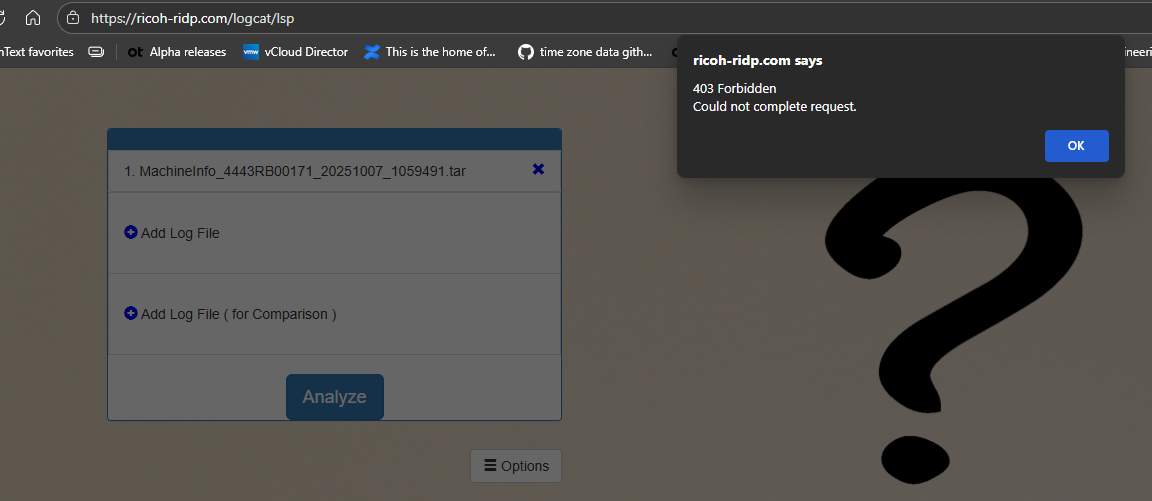
I have a client who is having an issue with our application. I asked for the logs as described here. However when I upload the logs I get a "403 Forbidden Could not complete request" error (see screenshot).
I tried again using an old log I still had from a month ago and which was successfully converted then and had the same error when trying just now.
Can someone please look into why this is not working anymore?
Thanks,
Peter Utiger
Is Ricoh Log Analyzing Tool working?
Incident Properties
Question
We can now access the Ricoh Log Analyzing Tool at https://ricoh-ridp.com/logcat/lsp. However, when we upload a device log file and click "Analyze," we consistently receive the error message "403 Forbidden File is invalid" (see the attached screenshot: Ricoh analyzing tool error message.jpg). We also tested several other Ricoh device tar log files that were previously decoded successfully, but they now fail with the same error message. Would you have a check if the Ricoh Log utility issur can be fixed?
Thank you.
Unable to sign APK or get Dev Key
Incident Properties
Question
Hi Team,
We are unable to either use https://ricoh-ridp.com/signature-self-service or https://ricoh-ridp.com/forms/signatureservices/ricoh-smartsdk/development-keys.
We are currently stuck for our development work, could you please provide any workaround or ETA for these issues to be fixed?
Thanks
Unable to download Log analyser
Incident Properties
Question
Hi,
We are unable to download the decrypted machine log from log analyzer (https://ricoh-ridp.com/logcat/lsp) it shows a 401 error.
We also have the following issues
Demo signing doesn't work
Unable to download the sdk.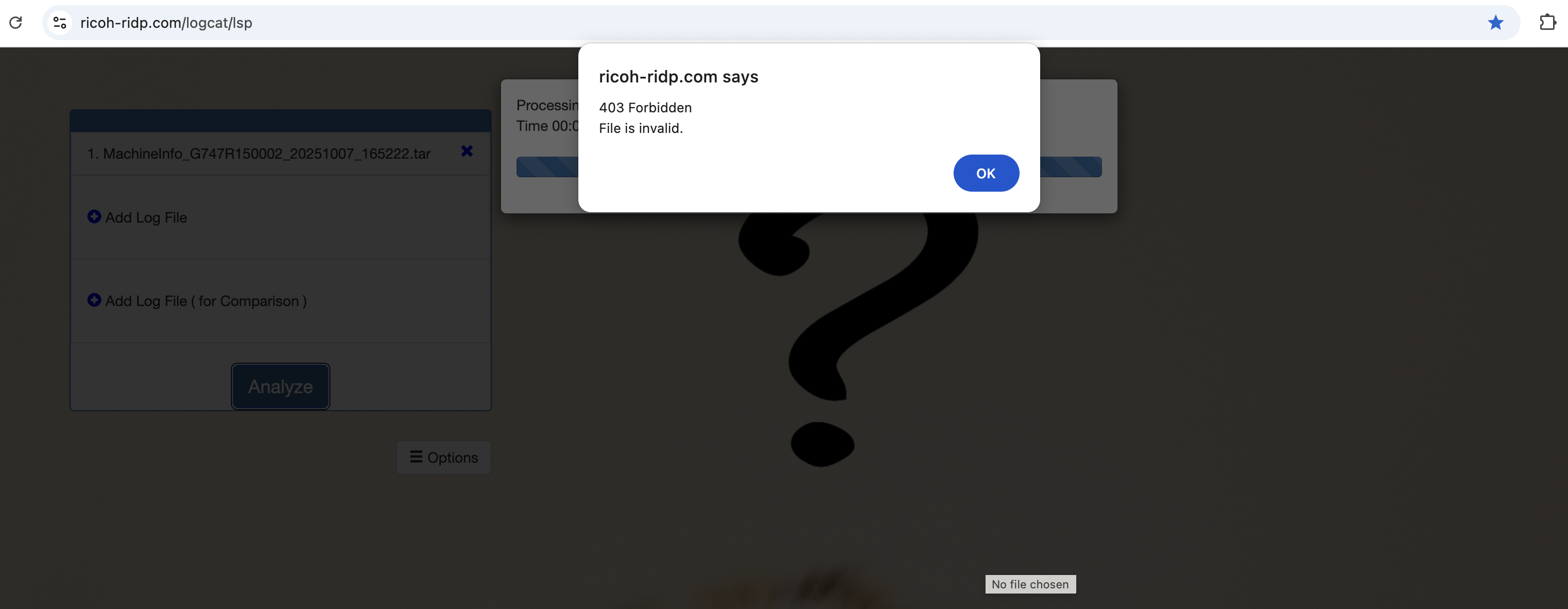
Facing issues with Ricoh signature self sign
Incident Properties
Question
Hi Team,
We tried uploading the file and sign but when we click on “upload and sign file” we are seeing “403 forbidden screen”, can you please let us know when can we expect the issue to be resolved?
Screenshot:

SmartSDK Maintenance Signature
Incident Properties
Question
I have a fix for the next release of our SmartSDK solution that will require a maintenance signature.
1. We are still supporting devices containing a Smart Operation Panel with SmartSDK version 2.10 and later.
2. Modified app(s): AppManager.zip, Authentication.zip, and SecureDelivery.zip
3. The .dalp files are not modified.
Changes:
1. Made changes to our off-prem Authentication and Printing to better support a cloud-based server.
Regards
Bryan